When your costs go up, the question is always the same: how much can you raise your price without losing money — and without losing customers?
The Fair Price Increase Planner does that math product by product. Enter what one unit costs you today (materials, packaging, shipping, fuel, labor, import tariffs, platform and payment fees) and how much each cost went up. The spreadsheet shows the price that keeps your margin, the minimum price with no loss, and a suggested price already rounded to .99, .95 or a whole number.
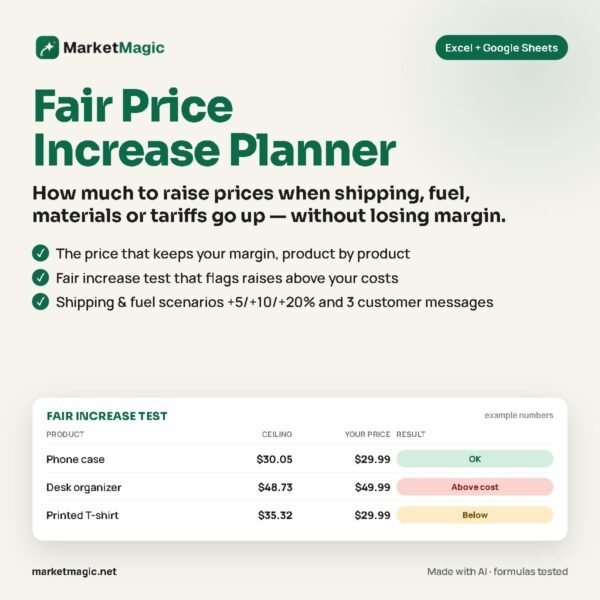
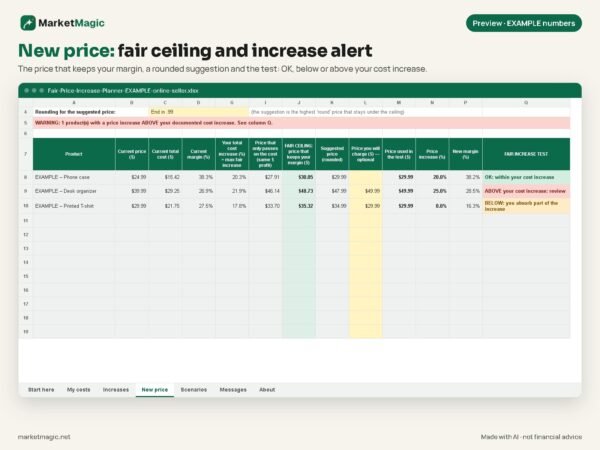
What makes it different is the Fair Increase Test: if the price you are thinking of charging goes past your documented cost increase, the spreadsheet flags it. You raise prices based on numbers, and you can explain the new price to your customers.
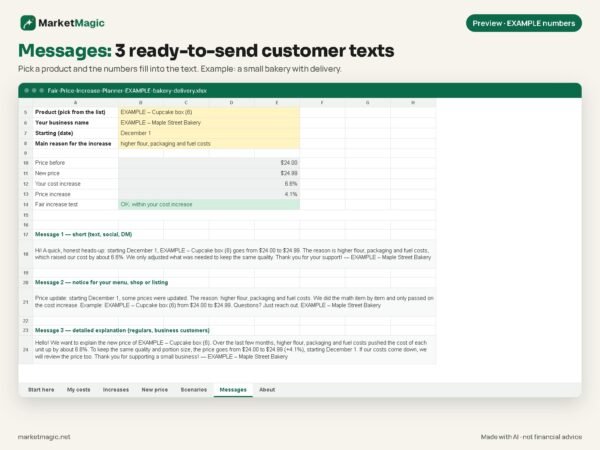
It also includes scenarios (what if shipping and fuel go up another 5%, 10% or 20%?), a monthly break-even point, and 3 ready-to-send customer messages with your product’s numbers filled in automatically.
Two filled-in examples (bakery/delivery and online seller) use made-up numbers so you can see how it works before entering yours.
What’s inside
- Blank spreadsheet for up to 12 products (make copies for more)
- 2 filled-in example files: bakery/delivery and online seller (Etsy, Amazon or Shopify)
- README with step-by-step instructions for Excel and Google Sheets
- License terms (LICENSE.txt)
Highlights
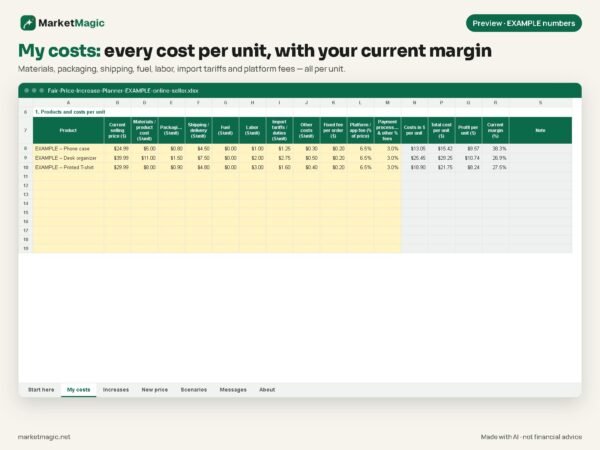
- My costs: cost per unit for each product and how much each cost weighs in your price
- Increases: enter a reference item’s price before and now (e.g. a gallon of diesel) or the % directly, with official links (EIA, BLS, USITC) to check
- Import tariffs: a dedicated cost line, so a duty change shows up in your price
- New price: price that keeps your margin, minimum price, rounded suggestion
- Fair Increase Test: a visible alert when a price increase goes past your cost increase
- Per-product fees: platform, payment processing and fixed per-order fees
- Scenarios: shipping and fuel +5%, +10%, +20% and one of your own
- Break-even point: minimum monthly revenue to cover fixed costs, before and after
- Messages: 3 clear, honest texts for social/DM, your shop or menu, and regular customers
- Yellow cells to fill in, protected formulas (no password), data validation against unexpected values
- Works in Excel (2010 or newer) and Google Sheets, no macros
Frequently asked questions
Does it work in Google Sheets?
Yes. In Google Drive: File > Import > Upload. The README walks you through it.
Do I need to know Excel?
No. You only fill in the yellow cells. The math is done for you.
Does it include current fuel prices or tariff rates?
No numbers are built in, because they change all the time. It links to the official sources (EIA, BLS, USITC) so you can check and note your proof.
Does the spreadsheet set my price?
It shows the ceiling that keeps your margin, the minimum with no loss, and a suggestion. The decision is yours.
Is the Fair Increase Test legal advice?
No. It is a practical reference based on the cost increase you enter. Rules on price increases vary by state; check with a professional if in doubt.
How many products fit?
12 per file. For more, make a copy of the file (e.g. one per category).
Is sales tax included?
Sales tax you collect on top of your price does not go in the cost fields.
Who it’s for: small bakeries, meal prep and delivery businesses, makers and online sellers on Etsy, Amazon or Shopify.
Instant download (.zip). Educational material: results are estimates. Not financial or legal advice.
Digital product created with the help of artificial intelligence.